Fill out Form I-9 Online
Printable template 2026
This website is not affiliated with the IRS
How it works

1. Open the form
Click “Fill form” above to open the form in our editor.

2. Add details
Complete all required fields to finalize your form.

3. Save as PDF
Download your filled form as a PDF, ready to print or submit anywhere.
What is Form I-9?
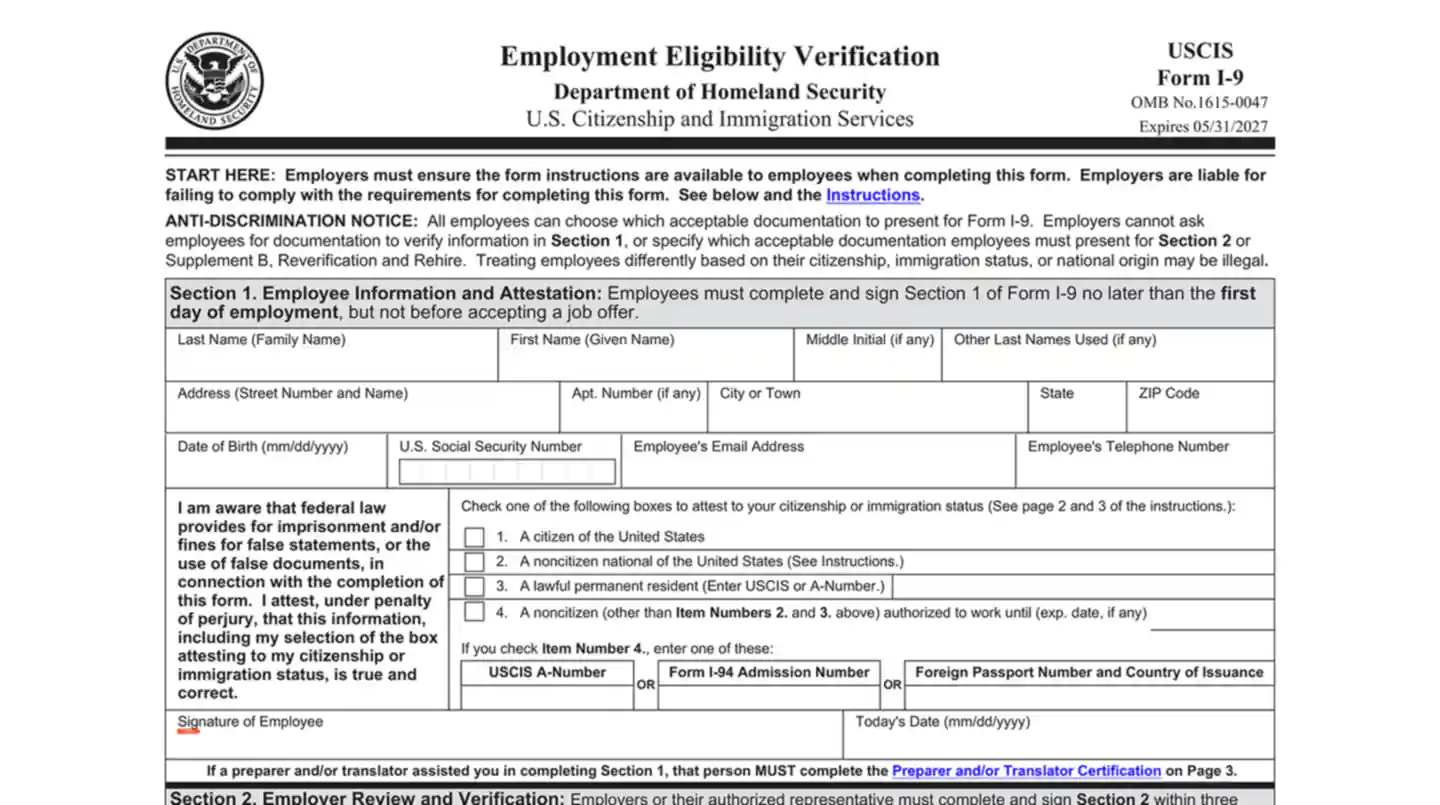
Form I-9, Employment Eligibility Verification, is an essential document used by employers in the United States to confirm that new hires are authorized to work. This form serves two main purposes: it verifies the identity of the employee and ensures that they are legally permitted to work, whether they are U.S. citizens or noncitizens. When a new employee is hired, they must complete their section of the Form I-9 on or before their first day of work. This includes providing personal information and confirming their eligibility to work. The employer then has three days to review the original documents that establish the employee's identity and work authorization, completing their section of the form. Proper completion and retention of Form I-9 are crucial for employers. It helps them comply with federal immigration laws, reducing the risk of hiring unauthorized workers. Failing to manage this form correctly can lead to legal repercussions, including fines and audits from government agencies.
Who needs to fill out Form I-9?
To fill out Form I-9, both the employer and the employee play key roles. The employee must complete Section 1 on their first day of work, providing essential personal information and confirming their ability to work in the U.S. The employer or an authorized representative then fills out Section 2 within three business days, verifying the employee's documents and ensuring their work eligibility. This process is crucial for compliance with federal regulations and ensures that all employees are authorized to work in the country. However, some individuals are exempt from filling out Form I-9. This includes employees working outside the U.S., independent contractors, and casual domestic service employees in private homes when their work is sporadic. Additionally, individuals hired before November 6, 1986, do not need to complete this form. Employers must keep completed forms for government inspection but do not submit them to any agency.
How to fill out Form I-9



Click the Fill Form button under this section to load Form I-9.
Complete Section 1 with your personal information.
Attest to your legal work authorization.
The employer examines your original documents for identity and eligibility.
The employer completes Section 2 verifying your documents.
Click 'Done' to download the completed form.
Navigate your tax forms with confidence
FAQ
'/%3e%3cpath%20d='M30%2022.4995V37.4995M37.5%2029.9995L22.5%2029.9995'%20stroke='%23393939'%20stroke-width='2'%20stroke-linecap='round'%20stroke-linejoin='round'/%3e%3c/svg%3e)
'/%3e%3cpath%20d='M24.6967%2024.6962L35.3033%2035.3028M35.3033%2024.6962L24.6967%2035.3028'%20stroke='%23353535'%20stroke-width='2'%20stroke-linecap='round'%20stroke-linejoin='round'/%3e%3c/svg%3e)
Yes, you can. When you click 'Fill form,' a blank version of the document opens in our PDF editor. You can then enter the necessary information into the appropriate fields. For forms that accept them, you can also create simple electronic signatures to add to your documents. However, it's important to note that PDFLeader does not support digital signatures, and our platform does not allow for form submission. Once you've completed the form, you can easily download it for your records.