Fill out Form DS-82 Online
Printable template 2026
This website is not affiliated with the IRS
How it works
1. Open the form
Click “Fill form” above to open the form in our editor.

2. Add details
Complete all required fields to finalize your form.
3. Save as PDF
Download your filled form as a PDF, ready to print or submit anywhere.
What is Form DS-82?
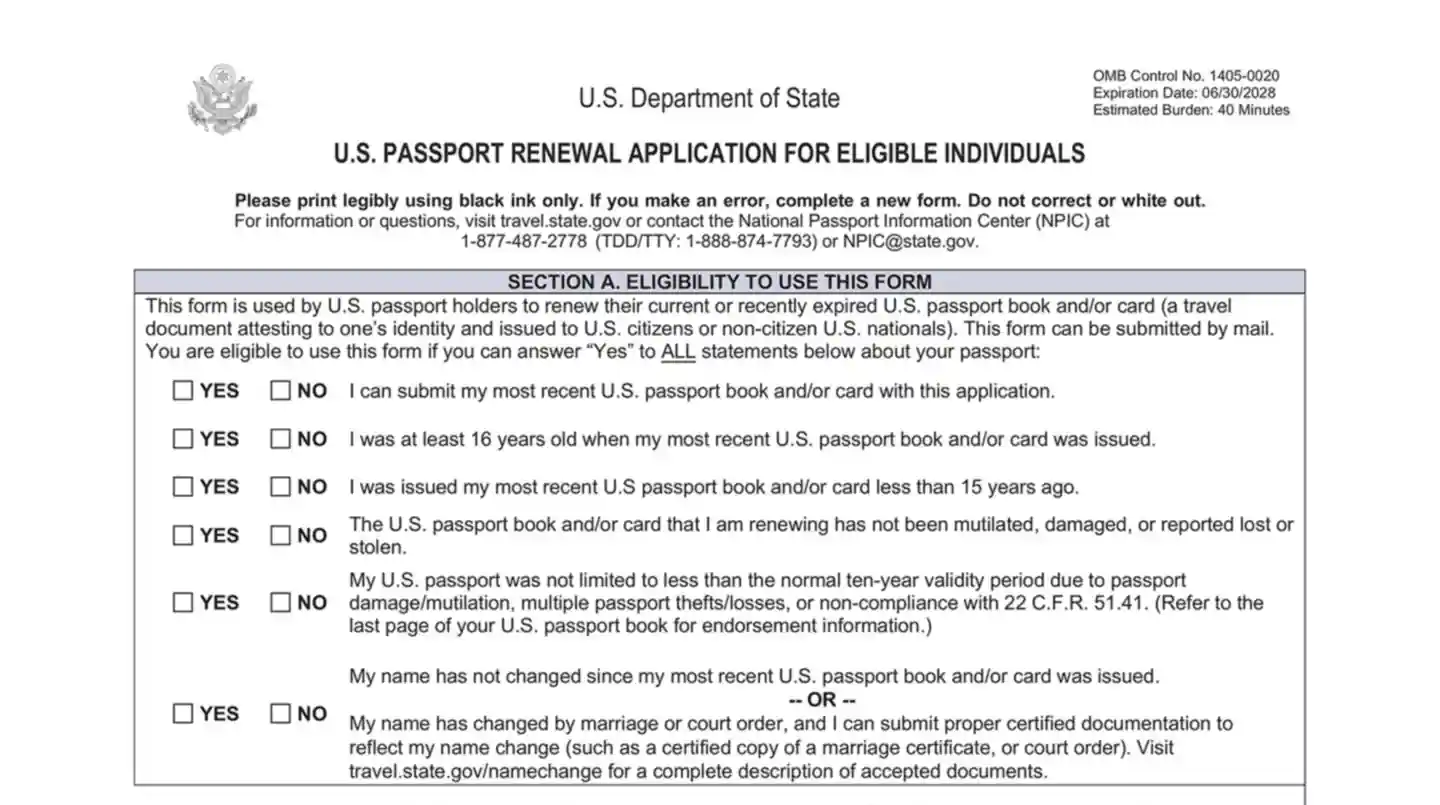
Form DS-82 is the official application used by U.S. citizens to renew their passports by mail. This form is intended for individuals who already possess a current or recently expired passport that meets specific criteria. To qualify, the passport must be undamaged, issued to the individual when they were at least 16 years old, issued within the last 15 years, and must be in the applicant's possession. If the passport was issued under a different name, applicants must include legal documentation, such as a marriage certificate, to prove the name change. By using Form DS-82, eligible individuals can renew their passports conveniently from home, eliminating the need to visit a passport acceptance facility. This process is particularly beneficial for routine renewals where there are no significant changes to the passport holder's identity.
Who needs to fill out Form DS-82?
Form DS-82 is for eligible U.S. citizens who are renewing their passports by mail. This includes those renewing a current or recently expired passport and who have not changed their name since the last issuance. These individuals must complete the form and sign it to finalize their renewal. Certain individuals do not need to fill out Form DS-82. Specifically, those renewing a passport issued when they were under 16 years old must complete Form DS-11 instead. Additionally, if someone has changed their name and lacks the required documentation to support the change, they may also need to follow different procedures. Remember, submissions of Form DS-82 must be mailed directly to the designated address, as acceptance facilities like post offices do not process these forms.
How to fill out Form DS-82


Click the Fill Form button under this section to access the PDF editor.
Fill out eligibility questions and required personal details.
Include all necessary information as prompted.
Ensure your old passport and passport photo are ready for submission.
Review the completed form for accuracy.
Click Done to download the form.
Navigate your tax forms with confidence
FAQ
'/%3e%3cpath%20d='M30%2022.4995V37.4995M37.5%2029.9995L22.5%2029.9995'%20stroke='%23393939'%20stroke-width='2'%20stroke-linecap='round'%20stroke-linejoin='round'/%3e%3c/svg%3e)
'/%3e%3cpath%20d='M24.6967%2024.6962L35.3033%2035.3028M35.3033%2024.6962L24.6967%2035.3028'%20stroke='%23353535'%20stroke-width='2'%20stroke-linecap='round'%20stroke-linejoin='round'/%3e%3c/svg%3e)
Yes, you can. When you click 'Fill form,' a blank version of the document opens in our PDF editor. You can then enter the necessary information into the appropriate fields. For forms that accept them, you can also create simple electronic signatures to add to your documents. However, it's important to note that PDFLeader does not support digital signatures, and our platform does not allow for form submission. Once you've completed the form, you can easily download it for your records.