Fill out Form W-4 Online
Printable template 2026
This website is not affiliated with the IRS
How it works

1. Open the form
Click “Fill form” above to open the form in our editor.

2. Add details
Complete all required fields to finalize your form.

3. Save as PDF
Download your filled form as a PDF, ready to print or submit anywhere.
What is Form W-4?
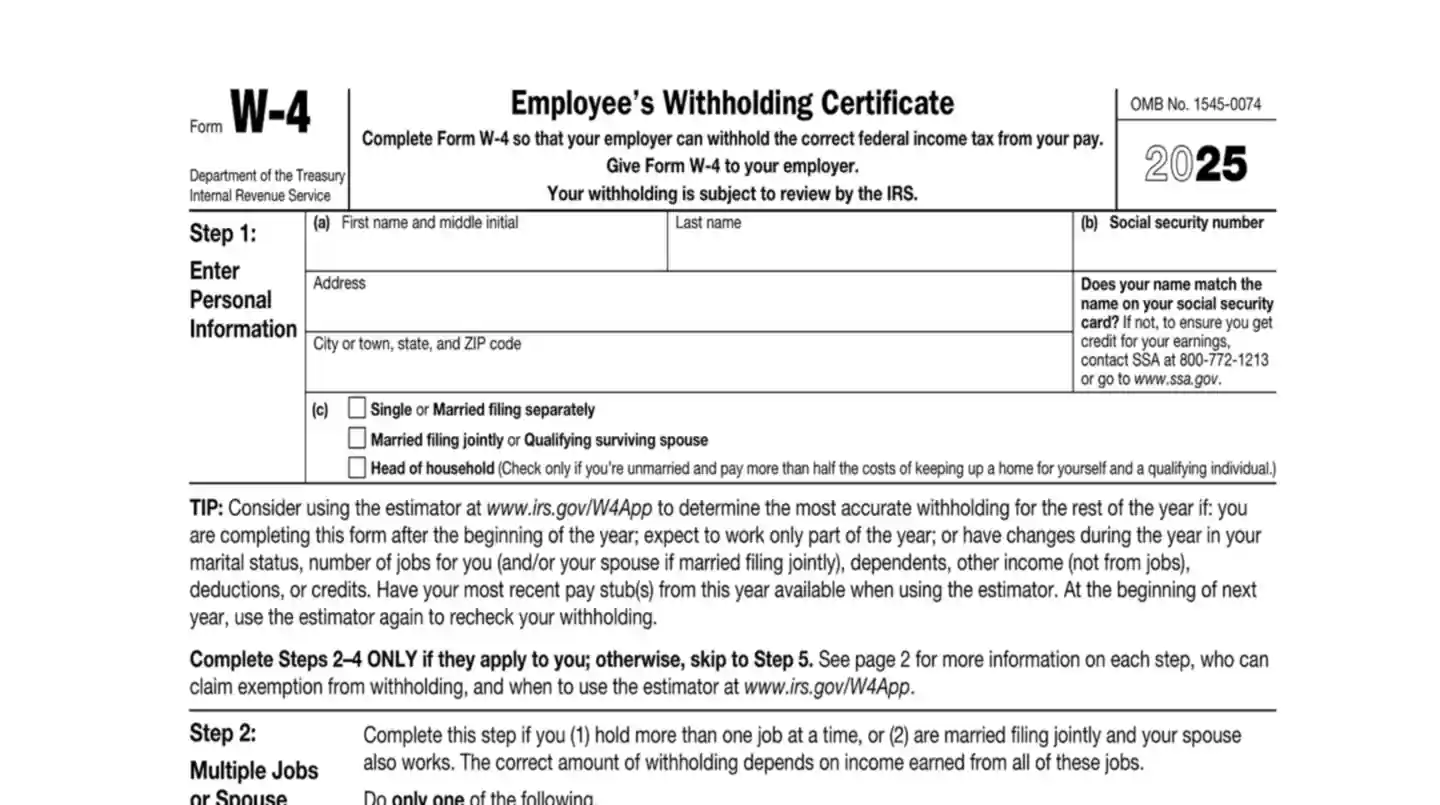
When you start a new job, you'll need to fill out Form W-4, known as the Employee's Withholding Certificate. This IRS form is crucial because it informs your employer how much federal income tax to deduct from your paycheck. Each pay period, a portion of your earnings goes to the IRS to cover your tax obligations. The W-4 helps avoid two common issues. First, if you don't withhold enough tax throughout the year, you may face a hefty bill or penalty when it's time to file your taxes. On the other hand, withholding too much means you'll get a refund but will have less money in your pocket during each pay period. To complete the W-4, you'll provide information like your filing status, the number of dependents, and any other income or deductions. Doing this accurately ensures your tax payments are balanced, preventing any surprises when tax season arrives.
Who needs to fill out Form W-4?
Employees are the primary individuals responsible for completing Form W-4. This form provides essential information to employers, helping them determine the right amount of federal income tax to withhold from an employee's paycheck. By filling out the W-4, employees ensure that their tax deductions align with their financial situation, which is crucial for avoiding underpayment or overpayment of taxes. However, some individuals may be exempt from filling out or submitting Form W-4. For instance, employees who had no tax liability in the previous year and expect none in the current year can claim exemption by indicating this on the form. Additionally, workers earning below certain income thresholds or those for whom tax withholding is unnecessary might not need to complete a W-4. If an employee does not submit a W-4, employers typically withhold taxes at the highest single rate.
How to fill out Form W-4



Click the Fill Form button under this section to open the W-4 form.
Fill in your personal information: name, address, Social Security number, and filing status.
Complete Step 2 if you have multiple jobs or a working spouse.
In Step 3, claim dependents if applicable.
Enter other income, deductions, and extra withholding in Step 4 if needed.
Click 'Done' to download the form.
Navigate your tax forms with confidence
FAQ
'/%3e%3cpath%20d='M30%2022.4995V37.4995M37.5%2029.9995L22.5%2029.9995'%20stroke='%23393939'%20stroke-width='2'%20stroke-linecap='round'%20stroke-linejoin='round'/%3e%3c/svg%3e)
'/%3e%3cpath%20d='M24.6967%2024.6962L35.3033%2035.3028M35.3033%2024.6962L24.6967%2035.3028'%20stroke='%23353535'%20stroke-width='2'%20stroke-linecap='round'%20stroke-linejoin='round'/%3e%3c/svg%3e)
Yes, you can. When you click 'Fill form,' a blank version of the document opens in our PDF editor. You can then enter the necessary information into the appropriate fields. For forms that accept them, you can also create simple electronic signatures to add to your documents. However, it's important to note that PDFLeader does not support digital signatures, and our platform does not allow for form submission. Once you've completed the form, you can easily download it for your records.