

Compress Video Online
How to compress a video

Select your video, then upload your file to the browser-based compressor.
Start video compression to reduce file size and produce a smaller video.
Review the compressed result, then click download to save the new file.
A simple way to reduce video file size
What it means to compress video online
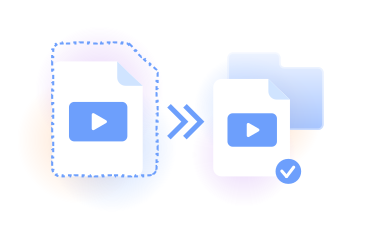
PDFLeader’s online video compressor helps you compress video without watermarks, reduce video size, and create a smaller file for sharing or storage.
Use the video file compressor in your browser to compress video size. You start compression, review the result, and choose when to download it.
People who compress video file sizes
Students
Reduce recordings, presentations, and project clips before adding them to coursework, online portals, or email messages.

Content creators
Prepare smaller footage for sharing, feedback, or the next stage of work in a video editor.

Remote teams
Compress meeting recordings, demonstrations, and project updates so colleagues can manage smaller files.

Small businesses
Reduce product demonstrations, training clips, and marketing footage before sharing them with customers or staff.

Developers
Create smaller sample videos and test assets for websites, prototypes, documentation, and review workflows.

Students
Reduce recordings, presentations, and project clips before adding them to coursework, online portals, or email messages.
Choose the best tool for your business needs
FAQ

How do I compress a video on iPhone?
Open PDFLeader in your iPhone browser, select the recording, and start compression. This lets you compress video on iPhone without installing desktop software. To compress MP4 video, upload it, review the smaller result, and tap download when you are ready to save it.
What is the best way to reduce video file size?
Upload the file and run the compression process in your browser. To reduce video size further, start with footage that contains only the content you need. You can shrink video size and shrink video file size, review the resulting file, and then choose whether to download it.
How can I compress a video on Android?
Open the online video compressor in a modern Android browser, choose the file, and begin compression. You can reduce a video without setting up desktop software. When processing is complete, review the new video size and tap download to save the smaller file yourself.
How do I compress a video for email?
To compress video for email, upload your file, run compression, and review the result before downloading and attaching it. A smaller file can be easier to send, but attachment rules vary by email provider, so check the downloaded file size against the service’s requirements.
How can I compress a video file?
Use PDFLeader’s video file compressor in your browser. Select your video, upload it, and start the compression process. Whether your source video format is MP4, MOV, or MKV, review the output after processing, then click download to save the compressed version.
How do I compress a video without losing quality?
To compress video without quality loss becoming noticeable, begin with a clear source and avoid repeating compression unnecessarily. The goal is a smaller video without losing quality that matters for viewing. Original quality, resolution, motion, and audio can all affect the best video compression result.
How should I approach a specific file-size goal?
People looking for an 8 MB video compressor or a 10 MB video compressor usually have a target size required by an email service or upload form. If you need to compress video to 10 MB, process the file, download the result, and check its final size. Outcomes vary with duration, resolution, motion, and audio.
When should I use a video compressor instead of a video converter?
Frequently asked questions about media tools often confuse compression with conversion. Use our video compressor when you want to reduce file size while keeping the same general type of content. Use our video converter when you need to convert video from one video format to another.
Does PDFLeader have a refund policy?
Yes. The Refund Policy sets out the cases where a refund applies and how to send a request.
What if I have any issues and need help?
We've got your back 24/7! Just call +1 (844) 548-9416 or email support@pdfleader.com, and we'll sort things out for you.
How do I cancel PDFLeader?
You can cancel your subscription from account settings, or contact the support team and ask them to cancel it. You keep access until the current billing period is over.