

JPG to Excel Converter
How to convert JPG to Excel
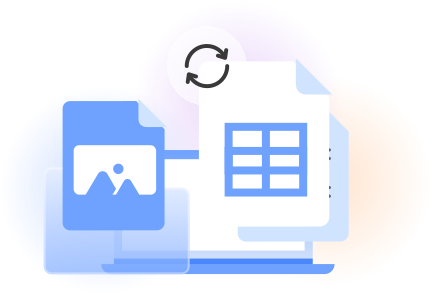
Upload the JPG image containing the table or records you want to convert.
Let OCR technology detect the text, rows, columns, and table structure.
Review the result, then click download to save the editable Excel file.
A practical JPG to Excel choice
How we convert JPG to Excel
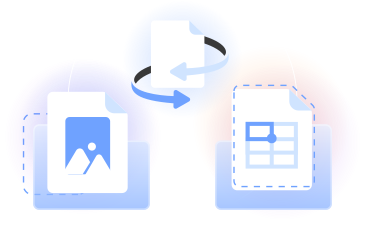
Our JPG to Excel converter uses OCR to extract text and tabular data from a JPG image, then organizes the recognized content as an editable Excel spreadsheet.
Use this JPG to Excel online tool to convert images into Excel, review the output, and download an XLSX file for your next task.
Who uses a JPG to Excel converter
Bookkeepers
Use the photo to Excel converter to turn photographed invoices and receipts into editable rows for review and recordkeeping.

Financial teams
Convert an invoice screenshot or JPG table into an Excel spreadsheet that you can check, sort, and update.

Operations coordinators
Move photographed schedules, stock lists, and order records into editable Excel sheets for day-to-day planning.

Researchers and students
Use picture-to-Excel conversion for tables captured from reports, presentations, notes, and other study materials.

Sales teams
Turn photographed lead lists, product tables, and sales records into an Excel file for organization and follow-up.

Bookkeepers
Use the photo to Excel converter to turn photographed invoices and receipts into editable rows for review and recordkeeping.
Choose the best tool for your business needs
FAQ

How can I convert a JPG file to Excel?
To convert JPG to Excel, upload your JPG image to our converter. OCR reads the visible text and tabular data, identifies the table structure, and organizes the results in an editable Excel format. Review the conversion, then click download to save the XLSX file.
How do I copy a JPG into Excel?
If you want editable data rather than a static picture, upload the JPG to our image-to-Excel converter. It uses OCR to recognize values, rows, and columns before creating a spreadsheet. You can review the output, download it, and open it in Microsoft Excel.
What is the best image-to-Excel converter?
The best image to Excel converter should recognize tabular content, create an organized spreadsheet, and let you review the result before downloading it. PDFLeader runs in your browser and turns JPG, PNG, and WebP image data into an editable XLSX file.
Can I turn a screenshot into Excel?
Yes. Save the screenshot in a supported image format, such as JPG or PNG, and upload it to our Excel tool. OCR technology reads the table, organizes detected content into rows and columns, and prepares an editable spreadsheet that you download.
Can I convert a photo of a receipt into Excel?
Yes. A clear receipt photo can be processed through our photo to Excel converter. The OCR looks for printed details and table-like content, then places the recognized image data into a spreadsheet. Review names, dates, totals, and other values before downloading the XLSX result.
Can I convert multiple images at once?
Yes, batch image conversion lets you upload multiple supported images for processing. Our JPG to Excel conversion workflow uses OCR to turn images into editable Excel sheets. Once the results are ready, review them and choose when to download your converted files.
How is JPG to Excel different from PDF to Excel?
JPG to Excel processes image-based table content, including a photo or screenshot. Our PDF to Excel converter works from a PDF and detects tables within its pages. Both workflows organize recognized tabular data into spreadsheet content that you review and download.
Does PDFLeader have a refund policy?
Yes. The Refund Policy sets out the cases where a refund applies and how to send a request.
What if I have any issues and need help?
We've got your back 24/7! Just call +1 (844) 548-9416 or email support@pdfleader.com, and we'll sort things out for you.
How do I cancel PDFLeader?
You can cancel your subscription from account settings, or contact the support team and ask them to cancel it. You keep access until the current billing period is over.