

PDF to HTML Converter
How to convert PDF to HTML
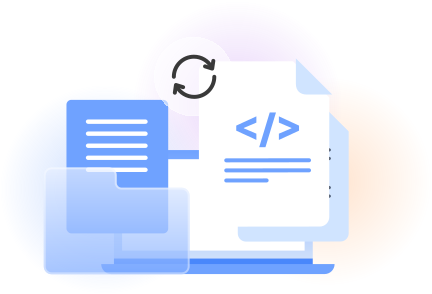
Select your PDF file from your device and upload it to the online converter.
Start the PDF to HTML conversion and wait while the document becomes web-ready code.
Preview the result, then click download to save the HTML file yourself.
Reliable PDF to HTML conversion
Quickly convert PDF to HTML online
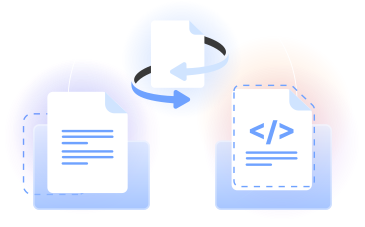
PDFLeader lets you convert PDF to HTML online in your browser. Upload a PDF file, run the conversion, and download the HTML file when it is ready.
Our PDF to HTML converter changes Portable Document Format content into markup language for web pages, giving you a starting point for publishing.
Who uses this converter
Web publishers
Turn reports, guides, and other PDF content into an HTML web page that you can review and prepare for online publishing.

Developers
Create an HTML starting point from a PDF, inspect the generated markup, and adapt the file within your existing web workflow.

Content teams
Convert files to HTML when updating older documents, repurposing published material, or moving information into web-based content.

Students and researchers
Change reference documents into browser-readable files for reviewing headings, text, images, and other document content.

Small business teams
Prepare brochures, instructions, and business documents for website updates without rebuilding every page from the beginning.

Web publishers
Turn reports, guides, and other PDF content into an HTML web page that you can review and prepare for online publishing.
Choose the best tool for your business needs
FAQ

How do I turn a PDF into HTML?
Open our PDF to HTML converter in your browser and upload your PDF file. Start the conversion, review the generated result, and click download when you are ready to save it. You can then open the HTML file in a web browser or code editor.
Can I save a PDF as HTML?
Yes. PDFLeader changes the document from Portable Document Format into an HTML file that you download yourself. The resulting markup language file provides a practical foundation for web pages, online documents, or content that you want to edit with web development tools.
How can I convert a PDF to HTML without losing formatting?
Use our online PDF converter to carry the document’s text, images, and structure into HTML. Because PDF and HTML use different layout models, review complex page elements after conversion. Check each heading, font choice, image, and CSS style before publishing the result.
How can I display a PDF file in HTML?
Convert the PDF to a web page with PDFLeader, then download the generated HTML and add it to your website through your usual publishing process. You can open the file first to inspect the PDF content, adjust the markup, and embed it within your site structure.
What is the difference between PDF and HTML?
PDF is a fixed-layout file format designed to keep a document’s appearance consistent. HTML structures content for web pages and allows browsers to interpret headings, paragraphs, links, and images. When you convert PDFs, the content moves from a document layout into web-oriented markup.
Do I need Adobe Acrobat to convert a PDF to HTML?
No desktop installation is required. PDFLeader runs as an online PDF to HTML converter in your browser, so you can complete the workflow without opening Adobe Acrobat. You upload the source document, start the conversion, and choose when to download the resulting file.
What can I do with the converted HTML file?
You can open the HTML file in a browser, review its source in a code editor, or prepare it for an online publishing system. It can serve as a starting point for documentation, archived web content, landing pages, and updates based on an existing PDF.
Does PDF to HTML conversion work across operating systems?
The conversion runs online through a web browser, so you can access the workflow from common operating systems without installing a dedicated desktop PDF converter. After processing the document, you start the download and choose where to save the HTML output on your device.
Does PDFLeader have a refund policy?
Yes. The Refund Policy sets out the cases where a refund applies and how to send a request.
What if I have any issues and need help?
We've got your back 24/7! Just call +1 (844) 548-9416 or email support@pdfleader.com, and we'll sort things out for you.
How do I cancel PDFLeader?
You can cancel your subscription from account settings, or contact the support team and ask them to cancel it. You keep access until the current billing period is over.