

PPTX to PDF Converter
How to convert PowerPoint to PDF

Upload or drag your PPTX file into our PowerPoint to PDF converter.
Select the uploaded presentation, then start the conversion in your browser.
Review the converted PDF, then click download to save it to your device.
A practical PPT to PDF converter
A direct way to convert PPT to PDF
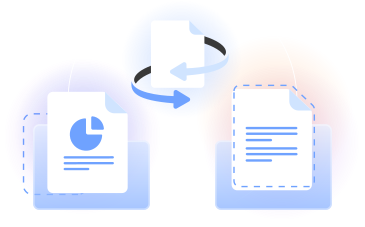
Our PPTX to PDF converter turns a PowerPoint presentation into a PDF file for viewing, printing, or sharing. You can also convert PPT to PDF in your browser.
Convert PowerPoint presentations to PDF while keeping its slide order and layout. PDFLeader creates a PDF that you can download.
Who needs PowerPoint to PDF
Students
Turn class presentations into PDF files that are convenient for reviewing, printing, and sharing with classmates or instructors.

Educators
Use our converter when converting PowerPoint to PDF for lesson materials, lecture notes, classroom handouts, and course resources.

Business teams
Convert Microsoft Office presentation files to PDF for reports, proposals, meeting materials, and documents with a consistent layout.

Speakers
Change a presentation file into a document that keeps every slide in sequence and is easy to download before an event.

Design reviewers
Create a PDF version of a slide deck so reviewers can examine the layout, text, images, and page order in a familiar format.

Students
Turn class presentations into PDF files that are convenient for reviewing, printing, and sharing with classmates or instructors.
Choose the best tool for your business needs
FAQ

How do I save a PowerPoint as a PDF?
Upload your PowerPoint file to our converter by selecting it from your device or dragging it into the upload area. Start the conversion, wait for the PDF file to be prepared, review the result, and click the download button to save it yourself.
How do I convert a PPTX into a PDF?
Use our PPTX to PDF converter in your browser. Upload the PPTX file, confirm that you selected the correct presentation, and begin the conversion. PDFLeader turns the slides into ordered PDF pages, after which you can click download and choose where to save the document.
What does PPTX mean?
PPTX is a file format used for presentation documents, most commonly associated with Microsoft PowerPoint. A PPTX file can contain slides with text, images, charts, and other visual elements. Converting it to PDF creates a document suited to consistent viewing and printing.
Why can’t I convert PPT to PDF?
If the conversion does not start, confirm that the selected file has the correct PPT or PPTX extension and can be opened normally. Then reload the page, select the file again, or try another current browser before restarting the PPT to PDF conversion.
Can I open PPTX files without PowerPoint?
You can view the presentation content without opening Microsoft PowerPoint by converting the PPTX file to a PDF. Upload it to our browser-based converter, start the conversion, and download the resulting PDF, which you can open with a standard PDF viewer.
How do I convert a PPT file with multiple slides into a PDF?
Upload the PPT file to our PPT to PDF converter and start the conversion. The tool processes the PowerPoint presentation as one document, placing its slides into the PDF in sequence. When the converted PDF is ready, click download to save the complete file.
Is there a quick way to convert a PPTX to PDF without opening a program?
Yes. PDFLeader runs in your browser, so there is no desktop program to install or open. Upload the PPTX file, start the conversion, and create a PDF online. Once the result is ready, you choose when to download it to your device.
Does PDFLeader have a refund policy?
Yes. The Refund Policy sets out the cases where a refund applies and how to send a request.
What if I have any issues and need help?
We've got your back 24/7! Just call +1 (844) 548-9416 or email support@pdfleader.com, and we'll sort things out for you.
How do I cancel PDFLeader?
You can cancel your subscription from account settings, or contact the support team and ask them to cancel it. You keep access until the current billing period is over.