

Scan to PDF
How to scan documents to PDF
Capture each paper page clearly, then upload the JPG, JPEG, or PNG image.
Use OCR, then reorder each uploaded page before creating the document.
Create the PDF file, click download, and choose where to save it.
A better scan to PDF Android workflow
What scan picture to PDF handles
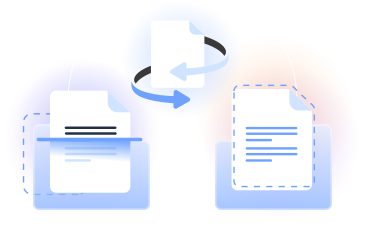
Upload a document, receipt, photo, or whiteboard image. Our PDF scanner uses OCR to recognize text and turn the capture into a searchable PDF format.
Create a multi-page PDF document, reorder images, and download it when ready. You can scan JPG to PDF, scan PNG files, or convert a paper picture.
Who uses scan image to PDF
Students
Scan paper to PDF for class notes, printed readings, and handwritten study pages, then keep the material together in one file.

Small business owners
Simplify scanning receipts, invoices, and other paper documents by turning clear captures into organized PDF files.

Field teams
Use a scan to PDF Android workflow or scan photos to PDF from a mobile device while working away from a desk.

Office administrators
Scan an image to PDF, combine related pages, and create consistent digital records from forms, letters, and printed notices.

Researchers
Capture documents, whiteboards, and reference pages, then use OCR to make clearly printed information searchable.

Students
Scan paper to PDF for class notes, printed readings, and handwritten study pages, then keep the material together in one file.
Choose the best tool for your business needs
FAQ

How do I scan to PDF on iPhone?
An iPhone scan to PDF workflow starts with a clear photo. Your iPhone scans documents to PDF by capturing each page, opening PDFLeader in your browser, uploading the images, arranging them, applying OCR, and clicking download when the file is ready.
How do I convert scans to PDF?
To convert a scan to PDF, upload a supported image captured from your scanner, phone, or camera. Review the page order, apply OCR when you want recognizable text, create the PDF, and click download to save the finished document yourself.
How do I scan into a PDF file?
First, capture the document as a clear JPG, JPEG, or PNG image. Upload it to our tool, add any other pages, and place them in the correct order. Create the PDF file, review the result, and start the download when you are satisfied.
Can I scan a document to PDF and email it?
Yes. Scan documents to PDF in PDFLeader, arrange the pages, and create the finished file. You then click download and save it to your device. Open your email service, start a message, and attach the PDF document before sending it.
How can I scan a document to PDF instead of JPG?
Capture the page as a JPG or another supported image, then upload it to our Scan to PDF tool. It converts the picture into PDF format and can combine multiple page images. When processing is complete, click download to save the PDF.
Why can't I save a scanned document as a PDF?
Make sure the image upload has finished and the conversion has been completed before clicking download. If the file still does not save, check your browser's download settings, confirm that the source image opens correctly, and repeat the process with a clear capture.
Can I scan multiple pages into one PDF?
Yes. Upload the page images, then reorder them so they follow the sequence you need. PDFLeader combines the images into one multi-page file. This gives you a powerful PDF workflow for contracts, notes, receipts, and other documents with related pages.
How can I export my scanned files?
After PDFLeader creates the result, click download and choose where to save it. The standard PDF format can then be opened in software such as Adobe Acrobat, attached to an email, or manually uploaded to a service such as Google Drive.
Does OCR make a scanned PDF searchable?
OCR reads visible text from a clear scanned image and can make that content searchable. Results depend on the source quality, lighting, orientation, and type style. Printed text is generally easier to recognize than handwritten content. You can use our PDF editor for further changes.
How does PDFLeader compare with scanner apps?
PDFLeader works in your browser, while a dedicated scanner app usually requires installation. If you are moving from an Adobe scanning workflow or another document scanner, you can upload existing captures, apply OCR, organize pages, and download the completed PDF yourself.
Does PDFLeader have a refund policy?
Yes. The Refund Policy sets out the cases where a refund applies and how to send a request.
What if I have any issues and need help?
We've got your back 24/7! Just call +1 (844) 548-9416 or email support@pdfleader.com, and we'll sort things out for you.
How do I cancel PDFLeader?
You can cancel your subscription from account settings, or contact the support team and ask them to cancel it. You keep access until the current billing period is over.