

Form I-9: Fill Out Online in 2026
A fillable, printable copy is ready here to record how your employer verified your identity and U.S. work authorization.
This website is not affiliated with any government agency.
How it works

1. Open the form
Click “Fill form” above to open the form in our editor.

2. Add details
Complete all required fields to finalize your form.

3. Save as PDF
Download your filled form as a PDF, ready to print or submit anywhere.
What is Form I-9?
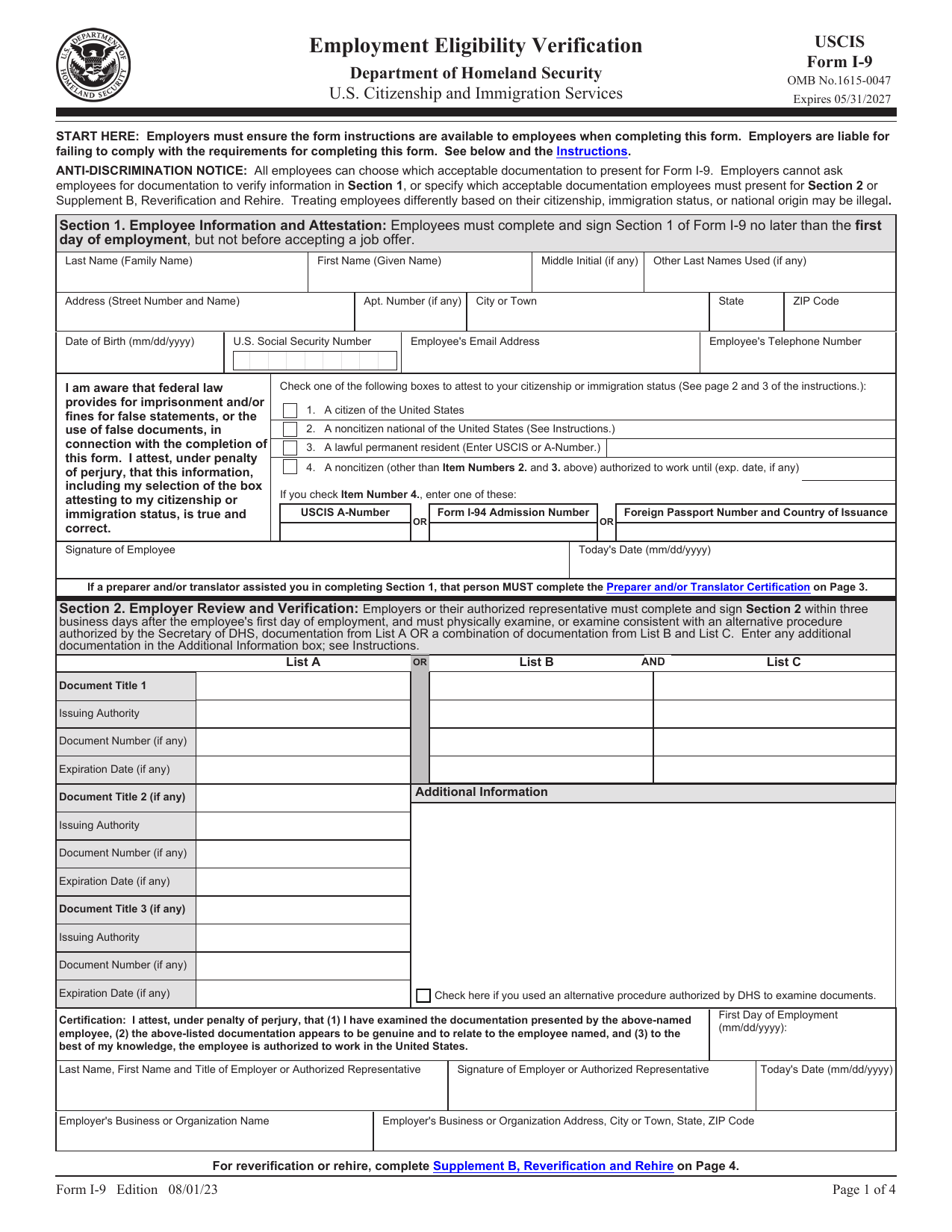
Form I-9, Employment Eligibility Verification, is a U.S. government form used for new hires. Employers must complete it for each person they hire to work for pay in the United States. The form confirms the employee’s identity and authorization to work in the country.
The employee enters personal details and attests to their employment authorization. They must also present acceptable documents that prove identity and work authorization. The employer examines those documents, records the required details, and certifies that they appear genuine and relate to the employee. Employers keep completed Forms I-9 for the required period and provide them if an authorized government agency asks to inspect them. This process helps prevent unlawful hiring while supporting workers’ rights and lawful employment practices.
What is Form I-9 used for?
Employers use Form I-9 when they hire someone to work in the United States. It records how the employer checked the new employee’s identity and authorization to work. This helps prevent employers from unlawfully hiring, recruiting, or referring for a fee people who are not authorized to work in the country.
The completed Form I-9 also shows the basis for the employer’s decision that the person may work. Employers keep it as a record rather than send it with a routine application. Authorized officials from DHS, the Department of Labor, or the Department of Justice’s Civil Rights Division may inspect it.
How to fill out Form I-9
- 1Click the Fill Form button to open Form I-9 in our editor.
- 2Enter your current legal name, complete address, Date of Birth, and U.S. Social Security Number if applicable in Section 1.
- 3Check your citizenship or immigration status and enter any required document numbers.
- 4Complete Supplement A if a preparer or translator helped with Section 1. Each helper must enter the employee’s name and their own details.
- 5Record the employee’s List A document or List B and List C documents in Section 2 after examining them.
- 6Complete Supplement B for a rehire or reverification, if needed.
- 7Download or print the completed form for the employer’s records. Do not send it to USCIS or ICE.
Where to get a blank Form I-9
A blank Form I-9 is available from U.S. Citizenship and Immigration Services (USCIS), the agency that issues the form and is part of the Department of Homeland Security. You can also open a blank version already loaded in PDFLeader, so you do not need to download a template from another source.
PDFLeader lets you fill out the form in your browser and download the completed copy for future use. PDFLeader does not submit or file Form I-9 for you.
Where to send Form I-9
Do not mail Form I-9 or upload it to a government portal. Give the completed form to your employer using the method the employer allows, such as in person or through its approved electronic system. The employer must keep it in its records, either on paper or in an authorized electronic system.
Form I-9 stays with the employer unless an authorized official asks to inspect it. This may include U.S. Immigration and Customs Enforcement, the U.S. Department of Labor, or the Department of Justice’s Immigrant and Employee Rights Section.
Who needs to complete Form I-9?
Employees and employers share responsibility for completing Form I-9. Each employee completes Section 1, Employee Information and Attestation. The employer or an authorized representative completes Section 2, Employer Review and Verification. Federal law applies to employers that recruit, refer for a fee, or hire people for work in the United States.
Employers keep a completed Form I-9 for each employee. They must retain it for three years after the hire date or one year after employment ends, whichever is later. Authorized officials from the Department of Homeland Security, Department of Labor, or Department of Justice may inspect it. Employers should not mail completed forms to USCIS or ICE.
How to sign Form I-9 online
You can add a simple electronic signature to Form I-9 on PDFLeader and download the completed form. However, USCIS says its fillable PDF must be printed and signed by hand. A typed name or basic electronic signature does not meet the rules for an electronic I-9 system. PDFLeader does not provide digital signatures or submit the form. Check the latest USCIS updates before signing.
What information/documents are required?
For Section 1, have your Last Name (Family Name), First Name (Given Name), Middle Initial, Other Last Names Used, Address, Date of Birth, and U.S. Social Security Number if required. A Social Security number is optional unless your employer uses E-Verify. Select your Citizenship/Immigration Status Attestation Box. If applicable, provide one Alien Registration/USCIS Number, Form I-94 Admission Number, or Foreign Passport Number and Country of Issuance. Sign and enter Today’s Date without backdating.
For Section 2, present original, acceptable, unexpired documents: one List A document, or one List B document and one List C document. Your employer records each Document Title, Issuing Authority, Document Number, and Expiration Date, then provides the representative’s signature, title, name, date, and Employer’s Business Name and Address. Use Supplement A only if a preparer or translator helped with Section 1.
When is Form I-9 due?
Form I-9 has no fixed calendar due date. The employee must complete and sign Section 1 no later than the first day of employment. They may complete it earlier, but only after accepting the job offer.
The employer must complete Section 2 within three business days after the employee’s first day of employment. If the job will last fewer than three business days, the employer must complete Section 2 by the employee’s first day of employment.
When is Form I-9 not required?
You do not need Form I-9 when an employee was hired on or before November 6, 1986, and has continued working for the same employer. It is also not required when the work takes place outside the United States.
Other exceptions include unpaid volunteers and interns, as well as casual domestic service in a private home when the work is sporadic, irregular, or intermittent. You also do not complete Form I-9 for an independent contractor when you do not control their work hours or provide their tools.
FAQ

How do you verify I-9 documents for remote employees?
If your organization participates in E-Verify and is in good standing, you may qualify for the DHS alternative procedure. The employee sends copies of the documents, including the front and back when applicable. You examine them within three business days of the employee’s first day of work, compare them with the employee during a live video call, keep the copies, and check the alternative-procedure box in Section 2. If you do not qualify, the documents must be examined in person, often by an authorized representative.
Can you use an expired passport for Form I-9?
No. An expired U.S. passport is not an acceptable Form I-9 document. The employee must present a current passport, another unexpired List A document, or one acceptable List B document with one acceptable List C document. USCIS permits certain document receipts in limited cases.
What are acceptable Form I-9 documents?
An employee may present one List A document that proves identity and work authorization, such as a U.S. passport, Permanent Resident Card, or Employment Authorization Document. As another option, the employee may present one List B identity document and one List C work authorization document, such as a driver’s license and an unrestricted Social Security card. Do not ask for extra documents after the employee presents acceptable documents. Documents generally must be original and unexpired, though a certified copy of a birth certificate and certain receipts may qualify.
Who can be an authorized representative for Form I-9?
An employer may appoint almost any adult, such as an HR worker, attorney, notary, coworker, or friend. The representative physically examines the employee’s documents and completes and signs Section 2 for the employer. A notary acts only as the employer’s representative, not in a notarial role. State rules may limit who can provide this service, and the employer remains responsible for any errors.
Does PDFLeader have a refund policy?
Yes. The Refund Policy sets out the cases where a refund applies and how to send a request.
What if I have any issues and need help?
We've got your back 24/7! Just call +1 (844) 548-9416 or email support@pdfleader.com, and we'll sort things out for you.
How do I cancel PDFLeader?
You can cancel your subscription from account settings, or contact the support team and ask them to cancel it. You keep access until the current billing period is over.
Related forms
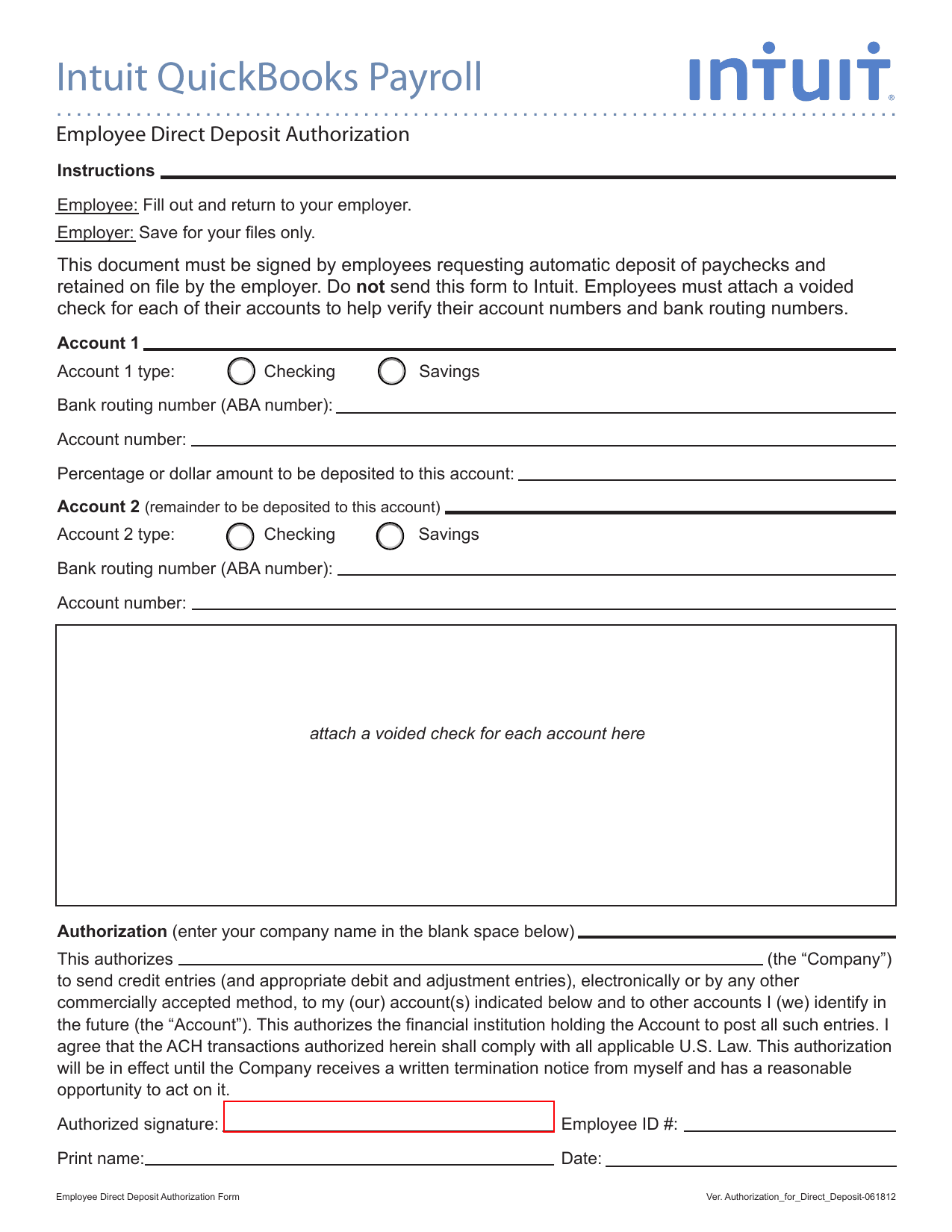 Intuit Direct Deposit Authorization FormEmployment & HR FormsPut your full paycheck in one account, or split a fixed amount and the rest between two. Fillable, printable copy ready here.Updated Oct 6, 2026
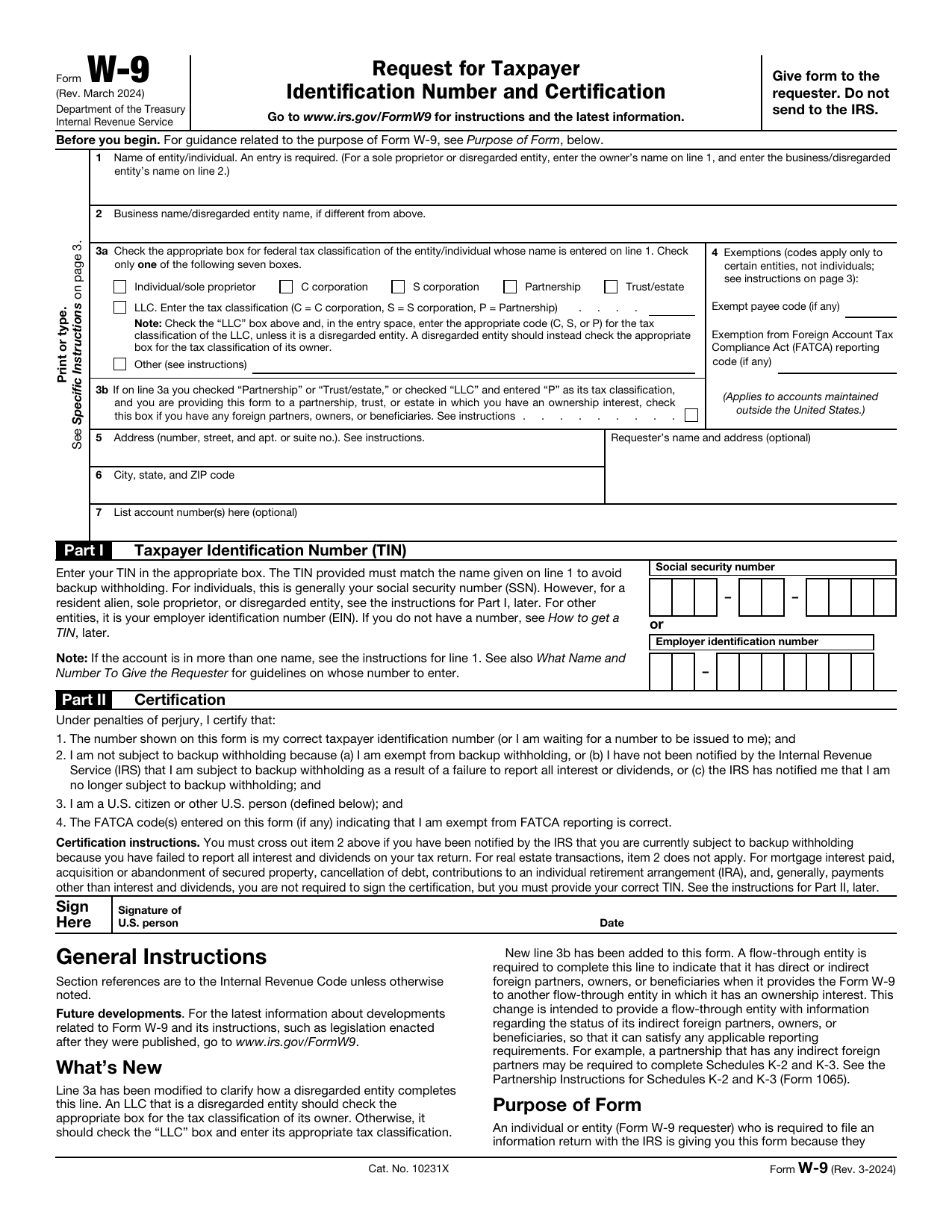 W-9 FormTax FormsGive a requester your correct TIN and certify your U.S. person and backup withholding status in a fillable, printable copy.Updated Oct 5, 2026
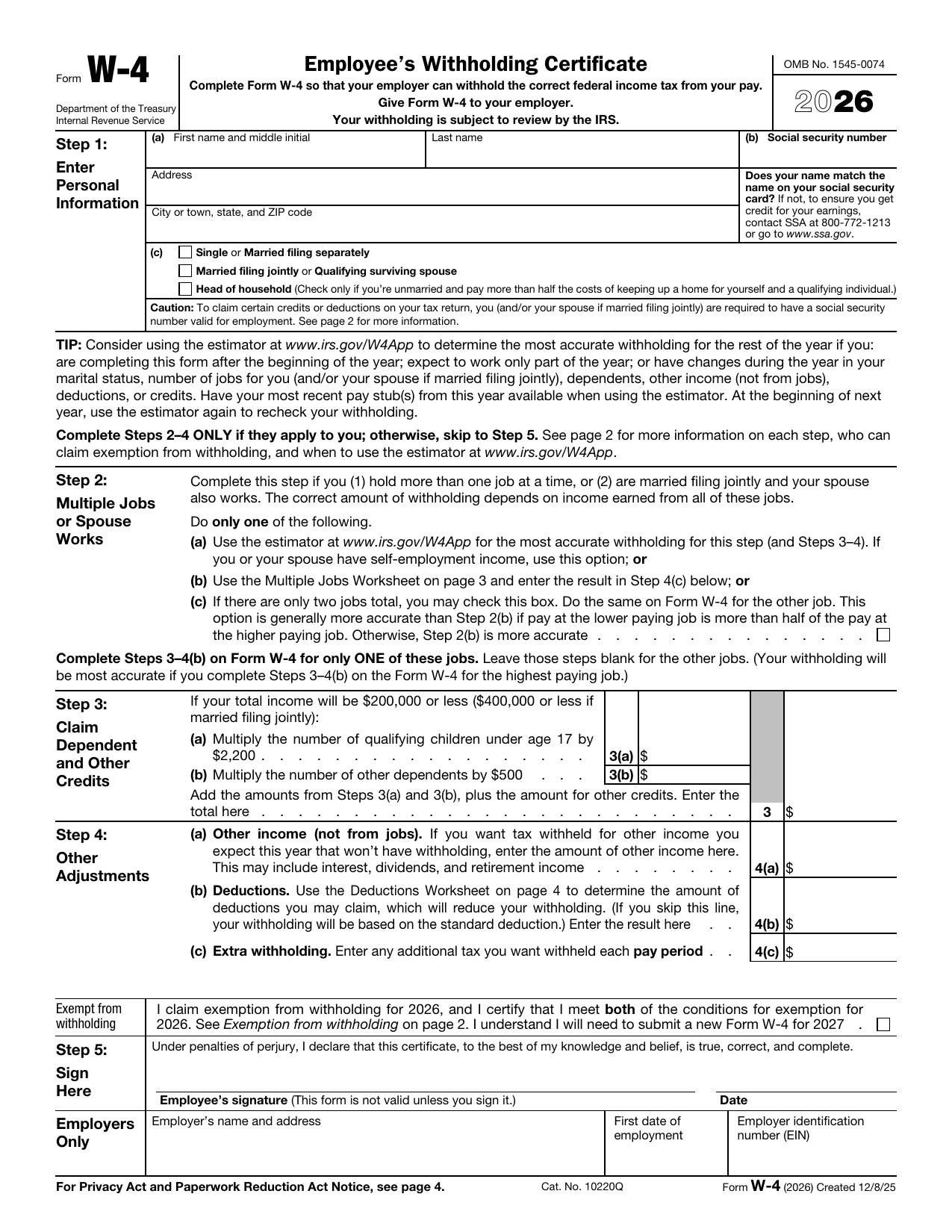 W-4 FormTax FormsSet how much federal income tax your employer withholds from your pay. A fillable, printable copy is ready here.Updated Oct 5, 2026
 DS-82 FormImmigration & Travel FormsPrepare to renew your eligible adult passport book or card by mail with the fillable, printable copy ready here.Updated Oct 5, 2026