

HEIC to JPG Converter
How to convert HEIC to JPG
Drag your HEIC image into the upload area or select the file from your device.
Start the conversion, and HEIC converts to JPG format in your browser.
Review the result, click download, and save the new JPG file where you choose.
Why choose HEIC to JPEG conversion
Ways to convert HEIC to JPEG
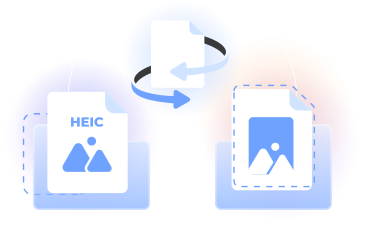
Our HEIC to JPG converter turns an Apple HEIC image into a JPG file in your browser. Upload one image, convert from HEIC to JPG, then choose download.
Use it to convert HEIC to JPEG when a site, app, or editor prefers the JPG format. Complete the file format change without desktop setup.
Who can change HEIC to JPG format
iPhone photographers
Turn a HEIC file to JPG when you want to share an iPhone photo with a person, website, or app that commonly uses JPEG images.

Students
Change HEIC to JPG format before adding mobile photos to assignments, presentations, learning platforms, or shared project folders.

Content creators
Convert from HEIC to JPG when preparing Apple photos for blog posts, social content, thumbnails, and everyday image editing.

Office professionals
Convert HEIC files to JPG before placing mobile images in documents, reports, email attachments, or internal presentations.

Online sellers
Prepare product photos in JPG format for listings, catalogs, customer messages, and other routine ecommerce work.

iPhone photographers
Turn a HEIC file to JPG when you want to share an iPhone photo with a person, website, or app that commonly uses JPEG images.
Choose the best tool for your business needs
FAQ

How can I convert HEIC images to JPG?
Open our HEIC to JPEG converter in your browser, upload the HEIC image you want to change, and start the conversion. Once the JPG file is ready, click download, choose where to save it on your device, and access the converted image.
Why do my photos become HEIC instead of JPG?
Apple introduced HEIC support with iOS 11 and uses it as a default photo format on many devices. HEIC is based on the High Efficiency Image File Format, or HEIF, and uses efficient compression to help manage file size while retaining image quality.
How do I change HEIC to JPG format?
To change HEIC to JPG format, select your image in our browser-based tool and begin the conversion. The HEIC file becomes a JPG that works with many common websites, editors, and apps. You then click download to save the converted image.
Can I just rename HEIC to JPG?
No. Renaming the extension does not convert the image data or change the underlying file format. Use our HEIC to JPG converter to process the image correctly, create a valid JPG file, and then download the completed result to your device.
Can I open HEIC files online?
You can use our online converter to change a HEIC image into the more widely recognized JPG format. Upload the image through your web browser, run the conversion, and download the JPG so you can open it with compatible software on your device.
How do I convert HEIC to JPG on Mac?
To convert HEIC to JPG on Mac, open PDFLeader in a modern browser, upload the HEIC file, and start the conversion. When processing finishes, click download and save the JPG to your chosen folder. No desktop software installation is required.
How do I convert HEIC to JPG on iPhone?
For HEIC to JPG on iPhone, open our converter in your mobile browser and select a HEIC image from your device. Start the conversion, wait for the JPG result, and tap download when you are ready to save the new image file.
What is the easiest way to convert HEIC to JPG?
A browser-based workflow keeps the process direct: upload the HEIC file, start converting HEIC to JPG, and download the result yourself. You do not need a separate desktop app, and the resulting JPG format is suitable for many routine viewing, editing, and sharing tasks.
Why won't my HEIC photos convert to JPG?
First, confirm that the selected image is a valid HEIC file and meets the requirements shown by the tool. Check your browser connection, reload the page, and upload the image again. If necessary, try another modern web browser before restarting the conversion.
Does PDFLeader have a refund policy?
Yes. The Refund Policy sets out the cases where a refund applies and how to send a request.
What if I have any issues and need help?
We've got your back 24/7! Just call +1 (844) 548-9416 or email support@pdfleader.com, and we'll sort things out for you.
How do I cancel PDFLeader?
You can cancel your subscription from account settings, or contact the support team and ask them to cancel it. You keep access until the current billing period is over.