

HTML to PDF Converter
How to convert HTML to PDF
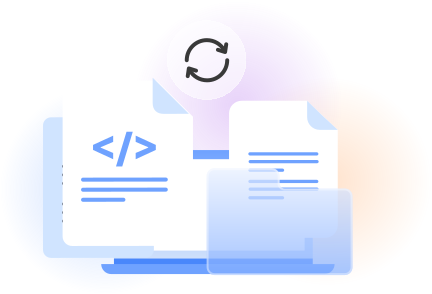
Upload an HTML file from your device to begin the browser-based conversion.
Start the process to turn the page markup and styled content into PDF format.
Review the completed document, then click download and save it where you choose.
Benefits of converting a webpage to PDF
A practical webpage to PDF tool
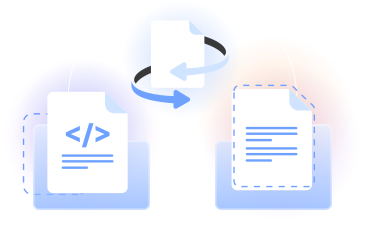
PDFLeader converts uploaded HTML into PDF format in the browser. Use it for markup, styled web content, or a saved web page.
Our webpage to PDF tool keeps the workflow direct: add the source file, run PDF generation, review the result, and click download.
Who can convert webpages to PDF
Developers
Turn a template or saved markup into a PDF file for documentation, prototypes, and review without installing desktop software.

Designers
Review how HTML content and CSS-based layouts appear in a portable format that is easy to share with clients and teammates.

Marketing teams
Convert campaign pages, product information, and other web content into documents for review, approval, and distribution.

Students and researchers
Create PDF copies of saved educational pages, project materials, and research content for organized reading and reference.

Operations teams
Generate PDF records from HTML-based reports, instructions, and internal documents through a straightforward browser workflow.

Developers
Turn a template or saved markup into a PDF file for documentation, prototypes, and review without installing desktop software.
Choose the best tool for your business needs
FAQ

How can I save a webpage as a PDF?
Save the webpage as an HTML file on your device, then add that file to PDFLeader. Start the conversion, review the resulting PDF document, and click download when it is ready. This approach creates a portable copy that is easier to share or reference.
What is the difference between HTML and PDF?
HTML is a markup language used to structure web content for a browser. PDF means portable document format and presents content as a fixed document. HTML can adapt to different screens, while a PDF file is designed to maintain a consistent page presentation.
How do I save HTML as PDF?
Upload an HTML file to PDFLeader, start the conversion, and wait for the document preview or result. Check that the page layout and content appear as expected. When you are satisfied, click the download control and save the completed PDF file to your device.
Which HTML to PDF converter is best?
The right choice should offer a clear workflow, browser access, dependable PDF generation, and output that presents your web content cleanly. If you want to convert HTML to PDF online without installing desktop software, PDFLeader provides a focused process from upload through download.
How can I get HTML code from a PDF?
Use our PDF to HTML converter for the reverse conversion. Add the PDF document, start the process, and download the generated HTML result yourself. Because PDF and HTML organize content differently, the resulting markup may not match the original source code used to create the PDF.
What is the best way to change HTML to PDF?
Prepare the HTML content so its text, CSS, images, and other page elements display correctly in a browser. Upload the file to PDFLeader, run the conversion, and review the output. You can then download the PDF to the location you choose.
How can I print HTML as PDF using a browser?
Open the HTML page in your browser, select its print command, choose the PDF destination, and confirm the available print settings. For a dedicated conversion workflow, you can instead upload the saved HTML to PDFLeader, create the document, and click download when ready.
How can I convert an HTML file to a PDF?
Add your source file to our browser-based tool and begin the HTML to PDF conversion. PDFLeader processes the uploaded HTML and generates a PDF document for review. Once the result is complete, you click download and choose where to save the file.
How do I properly convert HTML to PDF?
First, open the source in a browser and check that the HTML code, CSS, images, and layout display as intended. Then upload it to PDFLeader and run the conversion. Review the generated pages before clicking download and saving the finished PDF document.
Does PDFLeader have a refund policy?
Yes. The Refund Policy sets out the cases where a refund applies and how to send a request.
What if I have any issues and need help?
We've got your back 24/7! Just call +1 (844) 548-9416 or email support@pdfleader.com, and we'll sort things out for you.
How do I cancel PDFLeader?
You can cancel your subscription from account settings, or contact the support team and ask them to cancel it. You keep access until the current billing period is over.