

Image to Excel Converter
How to convert image to Excel

Upload a JPG, PNG, or WebP image that contains the table you need.
Let OCR identify the cells and organize the recognized content into spreadsheet data.
Review the converted workbook, then click download to save the XLSX file.
A smart image to Excel converter online
What an image to Excel table delivers
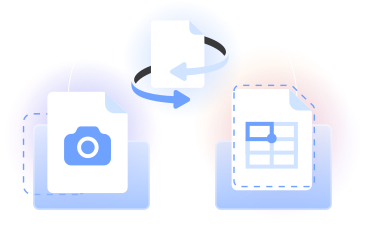
Our image to Excel converter uses OCR technology to read tabular data from images and build an editable XLSX spreadsheet.
Use the image to Excel table workflow for a JPG image, PNG, photo, or screenshot, then review the layout and download the Excel file.
Who can convert pictures to Excel tables
Bookkeepers
Bookkeepers use a picture to Excel converter to move photographed invoices, statements, or tabular records into cells they can check and update.

Operations teams
They convert images to Excel tables when a screenshot or photo contains schedules, inventory lists, or other structured business data.

Researchers
They convert a picture to an Excel table to organize published figures, photographed records, and tabular source material for analysis.

Students
A photo to Excel converter helps students turn tables from notes or course materials into an editable Excel sheet for study and calculation.

Analysts
A JPG image to Excel converter gives analysts a practical way to rebuild photographed tables as Microsoft Excel data for review.

Bookkeepers
Bookkeepers use a picture to Excel converter to move photographed invoices, statements, or tabular records into cells they can check and update.
Choose the best tool for your business needs
FAQ

How can I extract text from an image in Excel?
Upload the JPG or PNG file to our converter. OCR scans the image, identifies text and table structure, and places the recognized content into cells. Review the result, download the XLSX file, and open it in Microsoft Excel to make any needed edits.
How do I convert an image to Excel data?
Select a clear picture of the table and upload it. Our tool can convert images into editable Excel worksheets by recognizing rows, columns, and values. Check the cells, then download the workbook instead of relying on manual copy and paste.
Can AI convert an image to Excel?
Yes. OCR technology can read the text and structure in a table image, then organize the recognized content in spreadsheet cells. PDFLeader applies this process in the browser. You should review names, numbers, and column alignment before you download and use the finished workbook.
Can Excel pull data from an image?
Depending on the version, Microsoft Excel may provide a Data from Picture feature. Our online workflow offers another way to turn a supported image into an XLSX workbook in your browser. After OCR processes the table, you review the cells and choose when to download the result.
Can I turn a screenshot into Excel?
Yes. Save the screenshot as a supported JPG, PNG, or WebP file, then upload it to our image to Excel converter. A sharp screenshot with visible row boundaries, readable text, and minimal visual clutter gives OCR a clearer source for building the spreadsheet.
Can I use this image to Excel converter on Android or iPhone?
Yes. Our picture to Excel converter runs in a browser, so you can use it on an Android phone, iPhone, tablet, or computer without installing desktop software. Upload the supported image, review the converted cells, and tap or click download to save the XLSX file.
Which image formats can I convert to Excel?
Our JPG to Excel converter accepts JPG, PNG, and WebP input and creates an XLSX workbook. JPG is the common extension for a JPEG image. You can open the result in Microsoft Excel or software compatible with MS Excel and continue working with the spreadsheet data.
How does OCR handle table layouts?
OCR examines visible text and cell boundaries to rebuild tabular content in rows and columns. Clear lines, straight orientation, and legible values support a more usable layout. Review the Excel sheet and correct any cells that need attention before using the data.
Should I use Image to Excel or PDF to Excel?
Use our image workflow for a JPG, PNG, or WebP picture. If the source is already a PDF, our PDF to Excel converter can detect and extract tables directly from that document format. In either case, review the converted spreadsheet before choosing the download.
Does PDFLeader have a refund policy?
Yes. The Refund Policy sets out the cases where a refund applies and how to send a request.
What if I have any issues and need help?
We've got your back 24/7! Just call +1 (844) 548-9416 or email support@pdfleader.com, and we'll sort things out for you.
How do I cancel PDFLeader?
You can cancel your subscription from account settings, or contact the support team and ask them to cancel it. You keep access until the current billing period is over.