

Text to Speech Generator
How to use text to speech
Enter or paste the written content you want PDFLeader to read aloud.
Choose an available voice, generate the audio, and listen to the preview.
Review the narration, make any needed changes, and download your audio.
Why choose our text to speech reader
Explore our text to speech voices
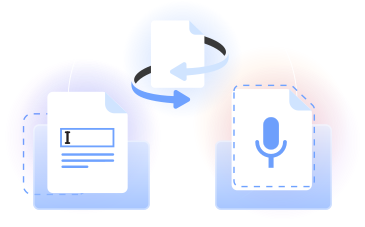
PDFLeader’s AI text to speech turns written text into downloadable audio. Choose from available text to speech voices, then create a clear TTS voice.
Our text to speech tool lets you convert written text, preview the result, and save text to speech MP3 output. Use it as a practical TTS maker online.
Who uses AI voice text to speech
Students
Students use AI TTS as a text reader for notes, drafts, and study material, making it easier to review wording and pronunciation.

Educators
Educators use AI voice text to speech to turn lessons, instructions, and written content into audio for listening activities.

Content creators
Creators use an AI voice generator (text to speech) when preparing narration for podcasts, presentations, and other audio projects.

Authors and editors
Authors convert text to voice to hear drafts aloud, identify awkward phrasing, and prepare sections for audiobook-style review.

Readers with visual impairments
Readers with visual impairments can turn written material into speech and listen to content instead of relying only on displayed text.

Students
Students use AI TTS as a text reader for notes, drafts, and study material, making it easier to review wording and pronunciation.
Choose the best tool for your business needs
FAQ

What is text to speech?
Text to speech is technology that converts written text into spoken audio. A text to speech reader uses speech synthesis and voice models to read aloud what you enter. The term TTS bot is also used for automated systems that produce speech from typed content.
Is text to speech AI?
Text to speech AI refers to systems that use artificial intelligence to create spoken audio from text. Advanced AI can help produce more natural pacing and lifelike voices. The best text to speech option depends on the voice style, clarity, and delivery your project requires.
How do I use text to speech?
Open our text to speech online tool, paste or enter your script, and select an available voice. Generate a preview and listen for pacing, pause placement, and pronunciation. Adjust the written text if needed, create the speech again, and click download when satisfied.
How does text to speech work?
Text-to-speech technology analyzes written content and converts it into audio through speech synthesis. An AI voice generator for text to speech applies a selected voice model to the words, punctuation, and sentence structure. You can then preview the generated result and download it.
How do I use text to speech on a Mac?
On a Mac, open PDFLeader in your browser and enter the text you want to convert. Choose an available voice, generate the speech, and listen to the preview. Once the narration sounds right, start the download yourself and save the audio where you choose.
How do I convert a book to audio?
If the book is your own work or you have permission to use it, paste the written content into our tool in suitable sections. Select a voice, generate each section, review the audio, and download the results. This workflow can help prepare audiobook-style narration.
Does PDFLeader have a refund policy?
Yes. The Refund Policy sets out the cases where a refund applies and how to send a request.
What if I have any issues and need help?
We've got your back 24/7! Just call +1 (844) 548-9416 or email support@pdfleader.com, and we'll sort things out for you.
How do I cancel PDFLeader?
You can cancel your subscription from account settings, or contact the support team and ask them to cancel it. You keep access until the current billing period is over.