

MP4 to GIF Converter
How to convert MP4 to GIF
Upload your MP4 video to our MP4 to GIF converter in your browser.
Start the conversion to turn the video file into an animated GIF.
When processing finishes, click download to save the GIF.
Convert MP4 to GIF in high quality
Tools to convert MP4 to animated GIF
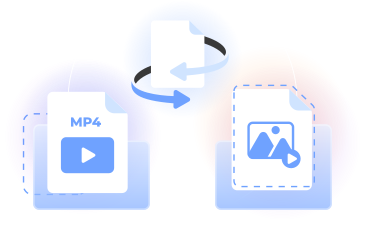
PDFLeader’s MP4 to GIF workflow turns an MP4 video into a shareable animation in your browser. Upload your MP4, convert it, and choose when to download the result.
Use our video to GIF maker to convert MP4s to animated GIFs for memes, demos, and reaction GIFs. Each pass handles one video file.
Who creates animated GIFs
Social media managers
Turn short MP4 clips into animated GIFs for posts and replies while keeping each platform’s file size guidelines in mind.

Designers
Animate interface previews, campaign concepts, and visual details as looping GIFs that are easy to place in presentations.

Educators
Convert video demonstrations into repeatable animations that help students review a process or understand a visual example.

Support teams
Create a GIF online to demonstrate product steps, highlight an interface action, or clarify written troubleshooting instructions.

Community managers
Make reaction GIFs and short animated moments for Slack, Discord, forums, and other spaces that accept the GIF format.

Social media managers
Turn short MP4 clips into animated GIFs for posts and replies while keeping each platform’s file size guidelines in mind.
Choose the best tool for your business needs
FAQ

How can I turn an MP4 into a GIF?
Upload your MP4 to our MP4 to GIF converter, start the conversion, and wait while PDFLeader creates the animation. Once processing is complete, click download to save the GIF yourself. The entire workflow runs in your browser, with no desktop installation required.
What file types can be converted to GIF?
This page is designed for MP4 video files. PDFLeader also offers a broader video converter for converting video formats, including MOV, WebM, and AVI. For an MP4 to GIF conversion, upload an MP4 file here, process it, and download the GIF yourself.
What is the difference between MP4 and GIF?
MP4 is a video format that can include sound and uses a frame rate measured in FPS. GIF is an image format commonly used for silent, looping animation. Animated GIFs are convenient for reactions and demonstrations, while MP4 is generally better suited to longer video content.
How can I convert MP4 to GIF in Windows 11?
Open PDFLeader in a browser on your Windows 11 device, upload a video in MP4 format, and start the conversion. When the video to GIF converter finishes processing the file, click download and choose where you want to save the completed animation.
What is the best way to turn an entire video into a GIF?
Upload the full MP4 video as your source file, then let the converter turn it into an animated GIF. The resulting file size can vary with the video’s duration, dimensions, and frame rate. When the conversion finishes, you choose when and where to download it.
Can I convert video to GIF on my phone?
Yes. Open PDFLeader in your phone’s browser, upload your video, and run the MP4 to GIF conversion. This browser-based workflow works on devices such as iPhone and Android phones. After processing, tap the download control to save the finished GIF to your device.
Can I create a GIF that can be shared on social media?
Yes. You can convert MP4 to GIF online and use the result for social posts, memes, or reactions on services that accept animated GIFs. Before posting, check the destination’s current dimensions, duration, and file size requirements, as each service sets its own rules.
How do I make a GIF for Slack or Discord?
Choose an MP4 clip that communicates the reaction or demonstration you want, upload it to our video to GIF maker, and begin the conversion. Download the completed GIF yourself, then add it to Slack or Discord according to that platform’s current upload requirements.
Does PDFLeader have a refund policy?
Yes. The Refund Policy sets out the cases where a refund applies and how to send a request.
What if I have any issues and need help?
We've got your back 24/7! Just call +1 (844) 548-9416 or email support@pdfleader.com, and we'll sort things out for you.
How do I cancel PDFLeader?
You can cancel your subscription from account settings, or contact the support team and ask them to cancel it. You keep access until the current billing period is over.