

PDF to Text Converter
How to convert PDF to text
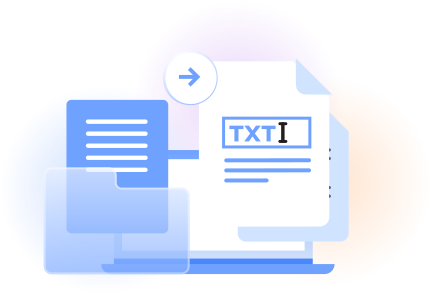
Upload the PDF file you want to turn into TXT format.
Start text extraction and use OCR when the document contains scanned pages.
Review the converted content, then click download to save the TXT file.
A simple way to convert PDF to TXT
A practical PDF to TXT file workflow
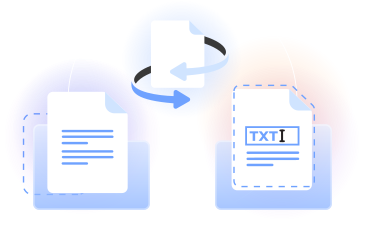
Our PDF to text converter turns a PDF into a TXT file in your web browser. Use it to convert PDF to text online and keep the words as plain text.
For a PDF convert to text workflow, upload one document, process it, and download the result. Related tools handle DOCX, RTF, PPTX, and XLSX.
Everyday PDF to TXT use cases
Students
Create a PDF to text file from course materials, then search, edit, or organize the plain text for study notes.

Researchers
Speed up reviewing sources by converting PDF to TXT and working with quotations or references in an editable format.

Office teams
Convert PDF to text file content for reports, internal notes, data entry, and other document workflows.

Writers and editors
Turn PDF documents into editable text that can be revised, checked, and reused in another file format.

Developers
Use plain TXT output as a practical starting point for search indexes, text analysis, and document processing.

Students
Create a PDF to text file from course materials, then search, edit, or organize the plain text for study notes.
Choose the best tool for your business needs
FAQ

How do I turn a PDF file into text?
Upload your PDF file to our converter, start the file conversion, and review the resulting text. When it is ready, click download to save the content as a TXT file that you can open, search, copy, or edit with a compatible application.
What are the disadvantages of converting PDF to text?
TXT format stores plain text rather than the full visual layout of a PDF. Document formatting such as fonts, images, page positioning, columns, and some table structures may not carry over. This makes TXT useful for editing and searching words rather than reproducing the original design.
How can I copy text from a PDF that cannot be copied?
Use OCR when the PDF contains scanned pages or image-based words. OCR identifies visible characters and turns them into selectable content. After processing the document, download the TXT file, open it in a text editor, and copy the section you need.
How do you convert a PDF to text?
Open our PDF to text converter in a web browser, select the document, and start the conversion. The tool processes the PDF into plain text. Review the output, then choose the download option to save the converted TXT file on your device.
What is the best way to extract text from a PDF?
For a digital PDF, text extraction can read the embedded characters directly. For a scanned document, OCR recognizes the words shown on each page. Upload the file, run the appropriate process, check the result, and download the text in TXT format.
How can I edit existing text in a PDF?
Use our PDF editor when you want to change content while keeping the document in Portable Document Format. Upload the PDF, select the existing text you need to revise, make your changes in the browser, and download the edited document when you are finished.
What is the easiest way to copy text from a PDF?
Convert the PDF to a text file, open the downloaded TXT in a text editor, and select the passage you want. This approach places the document’s words in an editable format, making them easier to copy than selecting content page by page in Acrobat Reader.
Can I convert long or multi-page PDFs?
Our converter can process multi-page PDF documents in one conversion. Upload the PDF, allow the text extraction or OCR process to read its pages, review the resulting content, and click download when you are ready to save the TXT output.
Can I convert PDF to TXT on multiple devices?
Yes. Our PDF converter runs in a web browser, so you can access it from common computers, tablets, and phones without installing Adobe Acrobat or other desktop software. On each device, you choose the PDF, start processing, and download the result yourself.
Can I edit the TXT file after converting from PDF?
Yes. Converting PDF to TXT creates a plain text file that you can open in a compatible text editor. You can revise wording, remove sections, copy passages, or reorganize content. Save your changes from the application you use to edit the downloaded file.
Does PDFLeader have a refund policy?
Yes. The Refund Policy sets out the cases where a refund applies and how to send a request.
What if I have any issues and need help?
We've got your back 24/7! Just call +1 (844) 548-9416 or email support@pdfleader.com, and we'll sort things out for you.
How do I cancel PDFLeader?
You can cancel your subscription from account settings, or contact the support team and ask them to cancel it. You keep access until the current billing period is over.