

Convert JPG to PDF
How to convert JPG to PDF
Upload JPG images with the file picker or drag and drop them into the tool.
Reorder multiple JPG files and review their sequence in the PDF file.
Start the conversion, then click download to save the completed single PDF.
A practical JPG to PDF online converter
A simple way to combine JPG to PDF
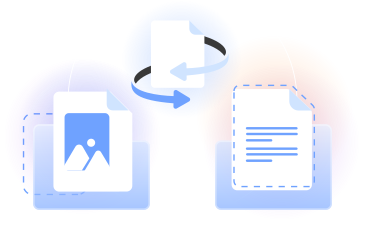
Combine JPG to PDF in your browser. Use our JPG to PDF combiner to arrange JPG files, merge them into one PDF, and download the document.
PDFLeader's image to PDF converter handles PNG, BMP, TIFF, GIF, and JPEG. Upload, set the order, and turn image files to PDF when you choose.
Practical image to PDF workflows
Students
Convert JPG images to PDF for class notes, scanned pages, and assignments, keeping related material together for reading or submission.

Office teams
Change JPG to PDF format for receipts, forms, reports, and other workplace images that need to become an organized document.

Creative professionals
Convert image to PDF when sharing proofs, portfolios, mood boards, or visual references in a selected page order.

Researchers
Use a JPG to PDF merge to group photographed sources, diagrams, and notes in one PDF for convenient review.

Record keepers
Move records from JPG to PDF and combine related scans into a single file that is easier to browse and reference.

Students
Convert JPG images to PDF for class notes, scanned pages, and assignments, keeping related material together for reading or submission.
Choose the best tool for your business needs
FAQ

How can you convert JPG to PDF on a Mac?
On a Mac, open PDFLeader in your browser and upload your JPG image files. Arrange them in the order you want, start the conversion, and click download when the result is ready. This lets you convert JPG to PDF online without installing desktop software.
How do you combine JPG files into one PDF?
Upload the JPG files to our converter, then arrange each image in your preferred page order. Start the JPG to PDF conversion to combine the images into one PDF. When processing finishes, click download and choose where to save the resulting document.
What is the process for converting JPG to PDF on Windows?
Open PDFLeader through a browser on your Windows computer, upload the JPG images, and adjust their order. Start converting JPG to PDF, wait for the online converter to finish, and click download. The browser-based process works without installing dedicated desktop software.
What is the easiest way to convert JPG to PDF?
A browser-based converter offers a direct approach across common operating systems. Upload your image, arrange the pages, start the conversion, and download the result yourself. If you have several images, you can combine them into one ordered PDF document during the same workflow.
How do you convert JPG to PDF on Android?
Open PDFLeader in your Android browser, select the JPG images you want to use, and check their page order. Run the conversion, then tap download when your PDF is ready. You can use this process without setting up separate desktop conversion software.
What is the difference between JPG and JPEG?
JPG and JPEG refer to the same image format and use the same type of compression. The different file extensions originated from older naming conventions. That is why frequently asked questions often use the terms interchangeably, and both work with our image conversion workflow.
Can I convert multiple JPGs into one PDF?
Yes. Upload multiple JPG images, arrange them in the sequence you want, and convert images to PDF as one document. Our tool can convert JPG images to PDF while preserving the selected page order, so related scans or pictures remain together in the result.
How long does JPG to PDF conversion take?
Processing time can vary with your connection, file size, and the number of image files included. After you upload the images and start the conversion, PDFLeader processes them in your browser workflow. You click download once the completed PDF is available.
Can I compress the PDF after converting my images?
Yes. After you create and download the PDF, you can open our Compress PDF tool and upload the document. Choose a compression level, review the estimated file size, start processing, and click download to save the compressed result when it is ready.
Does PDFLeader have a refund policy?
Yes. The Refund Policy sets out the cases where a refund applies and how to send a request.
What if I have any issues and need help?
We've got your back 24/7! Just call +1 (844) 548-9416 or email support@pdfleader.com, and we'll sort things out for you.
How do I cancel PDFLeader?
You can cancel your subscription from account settings, or contact the support team and ask them to cancel it. You keep access until the current billing period is over.