

Excel to PDF Converter
How to convert Excel to PDF

Upload the XLS or XLSX spreadsheet you want to turn into a PDF document.
Start converting the workbook and let our online tool prepare the PDF pages.
When the PDF conversion finishes, click download to save the result.
Why choose our XLSX to PDF converter
A simple way to convert XLSX to PDF
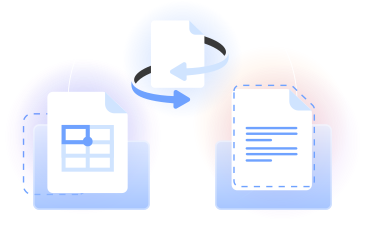
PDFLeader lets you convert Excel to PDF online from your browser. Upload an XLS or XLSX file, start the conversion, and download the PDF file.
Use our Excel to PDF converter for converting Excel to PDF while keeping the spreadsheet layout readable across the resulting PDF pages.
Who turns an Excel sheet to PDF
Finance teams
Turn an Excel file to PDF when you need a clear invoice, forecast, budget, or financial summary that colleagues can open as a standard document.

Data analysts
Convert XLSX to PDF to present tables, calculations, and reporting sheets in a consistent format for reviews and meetings.

Students and educators
Change an Excel sheet to PDF for class assignments, lab results, research tables, and project documentation.

Operations teams
Convert an XLSX file to PDF for schedules, inventory lists, checklists, and process records used across day-to-day operations.

Sales teams
Convert Excel spreadsheets into readable proposals, pricing tables, performance summaries, and account reports for presentations.

Finance teams
Turn an Excel file to PDF when you need a clear invoice, forecast, budget, or financial summary that colleagues can open as a standard document.
Choose the best tool for your business needs
FAQ

How do I turn Excel into PDF?
Upload your workbook to our Excel to PDF converter, start the conversion, and wait for the PDF to be prepared. When it is ready, click download to save the PDF file. The process runs online in your browser, so there is no software installation.
How can I convert Excel to PDF without losing formatting?
To convert Excel to PDF without losing formatting, tidy the source sheet before uploading it. Check column widths, row heights, print areas, page orientation, and scaling in Microsoft Excel. Our converter then uses that page layout when converting the spreadsheet to PDF format.
What's the best way to export Excel to PDF?
Save your changes in Excel, then upload the workbook to PDFLeader. Choose the Excel to PDF conversion, start the job, and click download when the converted PDF is ready. This browser-based route creates a PDF without requiring a desktop PDF conversion application.
How do I convert an Excel spreadsheet to PDF on one page?
Set the spreadsheet's print area, orientation, margins, and scaling in Microsoft Excel so the content fits on a single page. Then upload the file and convert it. A very wide or detailed sheet may be harder to read when reduced to one PDF page.
How can I convert an XLSX file to PDF?
Upload the XLSX file to our XLSX to PDF converter and start the conversion in your browser. PDFLeader prepares the workbook in PDF format. After the process finishes, you click download and save the result where you choose on your computer or mobile device.
Why can't I convert an Excel file to PDF?
Conversion problems can come from an incomplete upload, a damaged workbook, unsupported content inside the sheet, or a temporary browser issue. Save a fresh copy in Microsoft Excel, confirm the file opens normally, reload the online tool, and try converting the Excel document again.
Can I convert Word or PowerPoint files to PDF?
Yes. PDFLeader includes browser-based tools that convert Word and PowerPoint documents, images, and other supported files to PDF. Select our converter for your source format, upload one file, run the conversion, and click download when your new PDF is ready.
Can I convert files using a mobile device?
Yes. Open our online Excel to PDF tool in a supported mobile browser, select the spreadsheet from your device, and start the conversion. Once the PDF file is ready, tap download to save it. The same basic workflow also works on a computer without installation.
Can I edit my PDF after converting it from Excel?
Yes. After converting an Excel spreadsheet, download the PDF and open it in our PDF editor. You can add or adjust document content as needed, then choose when to download the edited version. PDFLeader also provides tools to merge, split, and compress PDF files.
Does PDFLeader have a refund policy?
Yes. The Refund Policy sets out the cases where a refund applies and how to send a request.
What if I have any issues and need help?
We've got your back 24/7! Just call +1 (844) 548-9416 or email support@pdfleader.com, and we'll sort things out for you.
How do I cancel PDFLeader?
You can cancel your subscription from account settings, or contact the support team and ask them to cancel it. You keep access until the current billing period is over.